QML
← All components

Modeless

Show a movable window inside the application while keeping the surrounding interface usable.

import Syidax.Core.Modeless

Supported QML types

TypeDefinition / role
Movable, resizable non-modal window within the application.
Manages multiple modeless windows and their stacking and lifecycle.

Learn by example

Previews are images of native Qt runs. Use the buttons below each image to view a result.

01 Basic composition

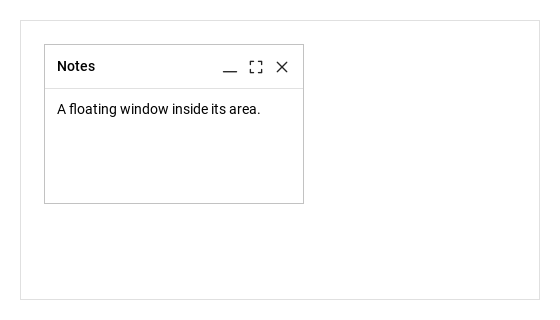
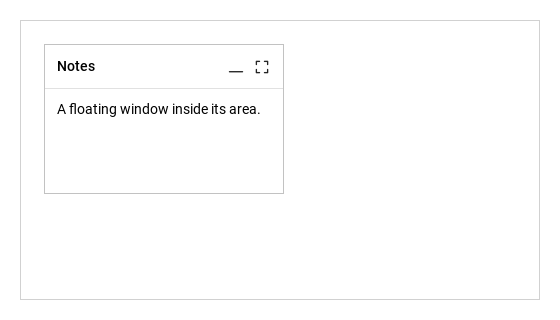
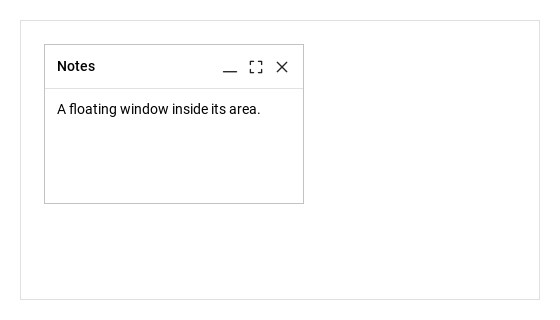
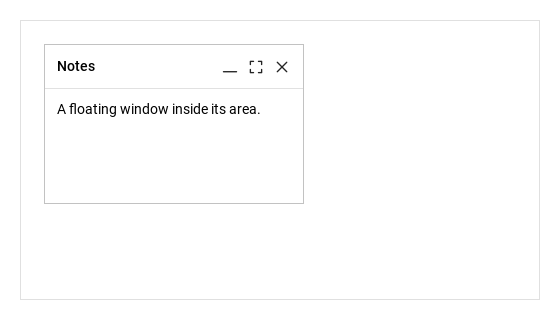
SyModeless is a floating window inside an item

Qt capture · image
Basic composition · Opened
QML code
import QtQuick
import Syidax.Core

Item {
    implicitWidth: Math.max(360, childrenRect.width)
    implicitHeight: childrenRect.height

    property QtObject settings: QtObject {
        id: storyArgs
        property string title: "Notes"
        property bool isDraggable: true
        property bool resizable: true
        property bool closable: true
        property bool minimizable: true
        property bool maximizable: true
        property bool edge: true
    }


    Rectangle {
        width: 520
        height: 280
        color: "transparent"
        border.width: 1
        border.color: Theme.semantic.borderSubtlest
        SyModelessGroup {
            anchors.fill: parent
            SyModeless { id: exampleControl1; 
                name: "notes"
                title: storyArgs.title
                open: true
                x: 24; y: 24; width: 260; height: 160
                isDraggable: storyArgs.isDraggable
                resizable: storyArgs.resizable
                closable: storyArgs.closable
                minimizable: storyArgs.minimizable
                maximizable: storyArgs.maximizable
                edge: storyArgs.edge
                Text { text: "A floating window inside its area."; width: parent.width; wrapMode: Text.Wrap; font.family: Theme.fontFamily; font.pixelSize: 14; color: Theme.modeless.contentTextEnabled }
            }
        }
    }

}

02 minimum · maximum

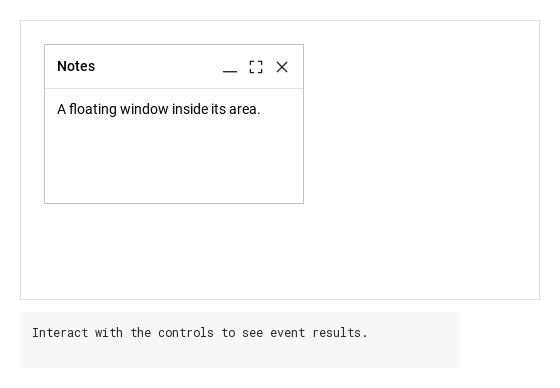
A window has three states, reported by the read-only windowStatus: "restore" (its own geometry), "minimum" and "maximum".

Qt capture · image
minimum · maximum · Opened
QML code
import QtQuick
import Syidax.Core

Item {
    implicitWidth: Math.max(360, childrenRect.width)
    implicitHeight: childrenRect.height
    id: story
    // Focused Gallery routes: one window makes each status change observable.
    property QtObject settings: QtObject { id: storyArgs; property bool minimum: false; property bool maximum: false }

    
    Rectangle {
        width: 520; height: 280
        color: "transparent"; border.color: Theme.semantic.borderSubtle
        SyModelessGroup {
            anchors.fill: parent
            SyModeless { id: exampleControl1; 
                name: "notes"; title: "Notes"; open: true
                x: 24; y: 24; width: 240; height: 150
                minimizable: true; maximizable: true
                minimum: storyArgs.minimum; maximum: storyArgs.maximum
                Text { text: "A floating window inside its area."; width: parent.width; wrapMode: Text.Wrap; font.family: Theme.fontFamily; font.pixelSize: 14; color: Theme.modeless.contentTextEnabled }
            }
        }
    }
}

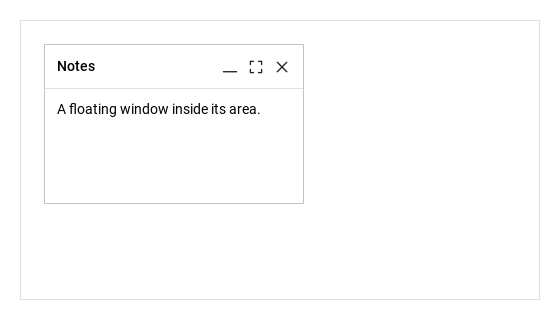
03 closed · statusChanged · positionChanged

Every signal passes one detail object whose id is the window's name.

Qt capture · image
closed · statusChanged · positionChanged · Opened
QML code
import QtQuick
import Syidax.Core

Item {
    component EventLog: Rectangle {
        id: logBox
        property var lines: []
        implicitWidth: 440
        implicitHeight: Math.max(56, logText.implicitHeight + 24)
        radius: 4; color: Theme.semantic.backgroundBold
        function log(value) { lines = lines.slice(-3).concat([String(value)]) }
        Text {
            id: logText; x: 12; y: 12; width: parent.width - 24
            text: logBox.lines.length ? logBox.lines.join("\n") : "Interact with the controls to see event results."
            wrapMode: Text.Wrap; color: Theme.semantic.textDefault
            font.family: Theme.monoFontFamily; font.pixelSize: 12
        }
    }

    implicitWidth: Math.max(360, childrenRect.width)
    implicitHeight: childrenRect.height
    // Focused Gallery routes: keep only the selected API and its prerequisites.
    id: featureStory


    Column {
        spacing: 12
        Rectangle {
            width: 520
            height: 280
            color: "transparent"
            border.width: 1
            border.color: Theme.semantic.borderSubtlest
            SyModelessGroup {
                anchors.fill: parent
                SyModeless { id: exampleControl1; 
                    name: "notes"; title: "Notes"; open: true; x: 24; y: 24; width: 260; height: 160
                    isDraggable: true; resizable: true; closable: true; minimizable: true; maximizable: true
                    onClosed: (detail) => { if (true) { output.log(("closed: %1").arg(detail.id)) } }
                    onStatusChanged: (detail) => { if (true) { output.log(("statusChanged: %1 %2").arg(detail.id).arg(detail.status)) } }
                    onPositionChanged: (detail) => { if (true) { output.log(("positionChanged: %1, %2").arg(detail.left).arg(detail.top)) } }
                    Text { text: "A floating window inside its area."; width: parent.width; wrapMode: Text.Wrap; font.family: Theme.fontFamily; font.pixelSize: 14; color: Theme.modeless.contentTextEnabled }
                }
            }
        }
        EventLog { id: output }
    }
}

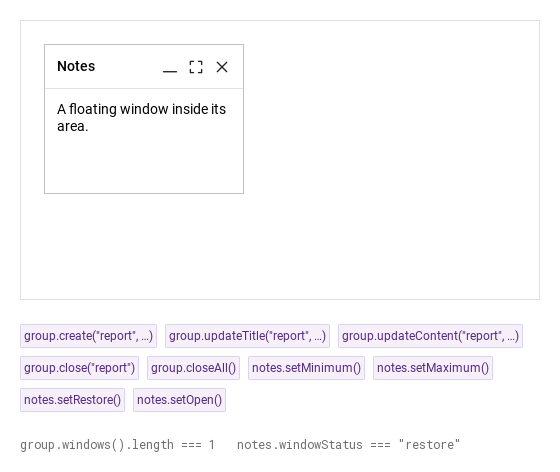
04 create · updateTitle · updateContent · close · closeAll · setMinimum · setMaximum · setRestore

Methods of a window (SyModeless):

Qt capture · image
create · updateTitle · updateContent · close · closeAll · setMinimum · setMaximum · setRestore · Opened
QML code
import QtQuick
import Syidax.Core

Item {
    implicitWidth: Math.max(360, childrenRect.width)
    implicitHeight: childrenRect.height
    // Focused Gallery routes: keep only the selected API and its prerequisites.
    id: featureStory

    Column {
        spacing: 24
        Rectangle {
            width: 520
            height: 280
            color: "transparent"
            border.width: 1
            border.color: Theme.semantic.borderSubtlest
            SyModelessGroup { id: group; anchors.fill: parent; SyModeless { id: notes; name: "notes"; title: "Notes"; open: true; x: 24; y: 24; isDraggable: true; minimizable: true; maximizable: true; closable: true; Text { text: "A floating window inside its area."; width: parent.width; wrapMode: Text.Wrap; font.family: Theme.fontFamily; font.pixelSize: 14; color: Theme.modeless.contentTextEnabled } } }
        }
        Flow {
            width: 520
            spacing: 8
            SyButton { id: exampleControl1;  visible: true; text: "group.create(\"report\", …)"; variant: "secondary"; size: "small"; onClicked: group.create("report", "Report", "Made by create().", { left: 240, top: 60, resizable: true }) }
            SyButton { id: exampleControl2;  visible: true; text: "group.updateTitle(\"report\", …)"; variant: "secondary"; size: "small"; onClicked: group.updateTitle("report", "Renamed") }
            SyButton { id: exampleControl3;  visible: true; text: "group.updateContent(\"report\", …)"; variant: "secondary"; size: "small"; onClicked: group.updateContent("report", "New content.") }
            SyButton { visible: true; text: "group.close(\"report\")"; variant: "secondary"; size: "small"; onClicked: group.close("report") }
            SyButton { visible: true; text: "group.closeAll()"; variant: "secondary"; size: "small"; onClicked: group.closeAll() }
            SyButton { visible: true; text: "notes.setMinimum()"; variant: "secondary"; size: "small"; onClicked: notes.setMinimum() }
            SyButton { visible: true; text: "notes.setMaximum()"; variant: "secondary"; size: "small"; onClicked: notes.setMaximum() }
            SyButton { visible: true; text: "notes.setRestore()"; variant: "secondary"; size: "small"; onClicked: notes.setRestore() }
            SyButton { visible: true; text: "notes.setOpen()"; variant: "secondary"; size: "small"; onClicked: notes.setOpen() }
        }
        Text {
            text: "group.windows().length === " + group.windowList.length + "   notes.windowStatus === " + JSON.stringify(notes.windowStatus)
            font.family: Theme.monoFontFamily
            font.pixelSize: 12
            color: Theme.semantic.textSubtle
        }
    }
}

05 Fixed tool window

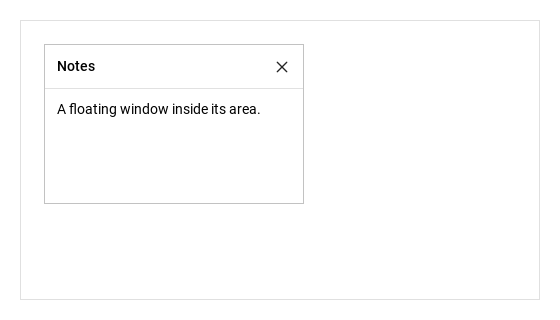
Fixed tool window, configured with isDraggable, resizable.

Qt capture · image
Fixed tool window · Opened
QML code
import QtQuick
import Syidax.Core

Item {
    implicitWidth: Math.max(360, childrenRect.width)
    implicitHeight: childrenRect.height

    property QtObject settings: QtObject {
        id: storyArgs
        property string title: "Notes"
        property bool isDraggable: false
        property bool resizable: false
        property bool closable: true
        property bool minimizable: true
        property bool maximizable: true
        property bool edge: true
    }


    Rectangle {
        width: 520
        height: 280
        color: "transparent"
        border.width: 1
        border.color: Theme.semantic.borderSubtlest
        SyModelessGroup {
            anchors.fill: parent
            SyModeless { id: exampleControl1; 
                name: "notes"
                title: storyArgs.title
                open: true
                x: 24; y: 24; width: 260; height: 160
                isDraggable: storyArgs.isDraggable
                resizable: storyArgs.resizable
                closable: storyArgs.closable
                minimizable: storyArgs.minimizable
                maximizable: storyArgs.maximizable
                edge: storyArgs.edge
                Text { text: "A floating window inside its area."; width: parent.width; wrapMode: Text.Wrap; font.family: Theme.fontFamily; font.pixelSize: 14; color: Theme.modeless.contentTextEnabled }
            }
        }
    }

}

06 Resizable tool window

Resizable tool window, configured with resizable.

Qt capture · image
Resizable tool window · Opened
QML code
import QtQuick
import Syidax.Core

Item {
    implicitWidth: Math.max(360, childrenRect.width)
    implicitHeight: childrenRect.height

    property QtObject settings: QtObject {
        id: storyArgs
        property string title: "Notes"
        property bool isDraggable: true
        property bool resizable: true
        property bool closable: true
        property bool minimizable: true
        property bool maximizable: true
        property bool edge: true
    }


    Rectangle {
        width: 520
        height: 280
        color: "transparent"
        border.width: 1
        border.color: Theme.semantic.borderSubtlest
        SyModelessGroup {
            anchors.fill: parent
            SyModeless { id: exampleControl1; 
                name: "notes"
                title: storyArgs.title
                open: true
                x: 24; y: 24; width: 260; height: 160
                isDraggable: storyArgs.isDraggable
                resizable: storyArgs.resizable
                closable: storyArgs.closable
                minimizable: storyArgs.minimizable
                maximizable: storyArgs.maximizable
                edge: storyArgs.edge
                Text { text: "A floating window inside its area."; width: parent.width; wrapMode: Text.Wrap; font.family: Theme.fontFamily; font.pixelSize: 14; color: Theme.modeless.contentTextEnabled }
            }
        }
    }

}

07 Content-focused tool window

Content-focused tool window, configured with minimizable, maximizable.

Qt capture · image
Content-focused tool window · Opened
QML code
import QtQuick
import Syidax.Core

Item {
    implicitWidth: Math.max(360, childrenRect.width)
    implicitHeight: childrenRect.height

    property QtObject settings: QtObject {
        id: storyArgs
        property string title: "Notes"
        property bool isDraggable: true
        property bool resizable: true
        property bool closable: true
        property bool minimizable: false
        property bool maximizable: false
        property bool edge: true
    }


    Rectangle {
        width: 520
        height: 280
        color: "transparent"
        border.width: 1
        border.color: Theme.semantic.borderSubtlest
        SyModelessGroup {
            anchors.fill: parent
            SyModeless { id: exampleControl1; 
                name: "notes"
                title: storyArgs.title
                open: true
                x: 24; y: 24; width: 260; height: 160
                isDraggable: storyArgs.isDraggable
                resizable: storyArgs.resizable
                closable: storyArgs.closable
                minimizable: storyArgs.minimizable
                maximizable: storyArgs.maximizable
                edge: storyArgs.edge
                Text { text: "A floating window inside its area."; width: parent.width; wrapMode: Text.Wrap; font.family: Theme.fontFamily; font.pixelSize: 14; color: Theme.modeless.contentTextEnabled }
            }
        }
    }

}

08 Edge handle

Edge handle, configured with edge.

Qt capture · image
Edge handle · Opened
QML code
import QtQuick
import Syidax.Core

Item {
    implicitWidth: Math.max(360, childrenRect.width)
    implicitHeight: childrenRect.height

    property QtObject settings: QtObject {
        id: storyArgs
        property string title: "Notes"
        property bool isDraggable: true
        property bool resizable: true
        property bool closable: true
        property bool minimizable: true
        property bool maximizable: true
        property bool edge: true
    }


    Rectangle {
        width: 520
        height: 280
        color: "transparent"
        border.width: 1
        border.color: Theme.semantic.borderSubtlest
        SyModelessGroup {
            anchors.fill: parent
            SyModeless { id: exampleControl1; 
                name: "notes"
                title: storyArgs.title
                open: true
                x: 24; y: 24; width: 260; height: 160
                isDraggable: storyArgs.isDraggable
                resizable: storyArgs.resizable
                closable: storyArgs.closable
                minimizable: storyArgs.minimizable
                maximizable: storyArgs.maximizable
                edge: storyArgs.edge
                Text { text: "A floating window inside its area."; width: parent.width; wrapMode: Text.Wrap; font.family: Theme.fontFamily; font.pixelSize: 14; color: Theme.modeless.contentTextEnabled }
            }
        }
    }

}

API 89

Hover or select an item for its QML example and copy button.

Properties · SyModeless

PropertyTypeDefaultDescription
string""The id reported in every signal and used by the group's methods.
string""The header text (14 px, medium, elided).
list (alias)—Items placed before the icons in the header.
——The content under the header (padded 12 px, clipped).
boolfalseShows the window; setOpen() / setClose() set it. Setting it to false reports closed and disposes a disposable window.
real0The geometry inside the parent.
real200The geometry inside the parent.
real150The geometry inside the parent.
boolfalseThe header drags the window (not while maximised).
boolfalseGrips on the edges and corners (only in "restore").
boolfalseThe three header icons; the min / max methods also require them.
boolfalseDragging and resizing stay inside the parent.
boolfalseThe folded / full-parent states; mutually exclusive.
real180The smallest size a resize allows.
real44The smallest size a resize allows.
string"none"Entrance: none · fade · pop · any other name = fade + scale.
string"fast"x-fast 100 · fast 150 · medium 250 · slow 350 · x-slow 500 ms.
boolfalseThe raised window of its group.
varnullThe group (set by the group).
boolfalseDestroyed when open becomes false — setClose() or an assignment (set by create()).
string (read-only)"restore""restore" · "minimum" · "maximum".
real44The header height
int (read-only)—the resolved duration.

Properties · SyModelessGroup

PropertyTypeDefaultDescription
——The windows declared inside (any other item is placed in the area too).
var (array)[]The registered windows (windows() returns it).
int0The z given to the last raised window.

Methods

MethodDescription
Show with the entrance
set open = false, which hides, emits closed and destroys if disposable (ignored while closed).
Fold (needs minimizable)
fill the parent (needs maximizable)
return to the own geometry.
Raise the window and mark it active; emits activated.
With edge, move the window back inside the parent.
Make (or reopen and raise) a window; returns it.
Change a window by id (updateContent only for created windows).
setClose() on one / every registered window.
The registered windows
one by name or null.
Put a window on top and mark it active.

Signals

SignalArgumentsWhen
detail: { id }open became false: setClose() (×, group.close, closeAll, your call) or your own open = false.
detail: { id, status }maximum or minimum changed (icons, methods, assignments); twice when switching directly between the two.
detail: { id, top, left, width, height }A header drag or a grip resize ended.
—The window was pressed / dragged / resized and raised.
windowcreate() made a new window (not when it returned an existing one).

Behavior

ItemBehavior / conditions
A window is a plain Item: x, y, width (200) and height (150) are yours to set; visible follows open.
A window is a plain Item: x, y, width (200) and height (150) are yours to set; visible follows open. The header is 44 px; the content below it is padded 12 px and clipped — bind width: parent.width on texts.
A window is a plain Item: x, y, width (200) and height (150) are yours to set; visible follows open.
Shows the window; setOpen() / setClose() set it. Setting it to false reports closed and disposes a disposable window.
Raise the window and mark it active; emits activated.
The raised window of its group.
The window was pressed / dragged / resized and raised.
The header drags the window (not while maximised).
Dragging and resizing stay inside the parent.
Grips on the edges and corners (only in "restore").
"restore" · "minimum" · "maximum".
With resizable and windowStatus "restore", 8 px strips on the four edges and 10 px squares on the corners resize the window, never below minWidth × minHeight (180 × 44) and, with edge, never past the parent's right / bottom edge.
A header drag or a grip resize ended.
minimum folds the window to its header (the body is hidden, grips are off); maximum sets it to 0, 0 and the parent's size (drag and grips are off).
The icons: minimise (hidden while maximised; becomes *expand* while minimised), maximise (hidden while minimised; becomes *compress* while maximised), close — each shown only when minimizable / maximizable / closable.
setMinimum() / setMaximum() honour those flags; assigning the properties does not.
maximum or minimum changed (icons, methods, assignments); twice when switching directly between the two.
setOpen() shows the window and plays the entrance: animation "none" (default) shows it at once; any other name fades it in from 0 opacity, scaling from 95 % ("fade" keeps the scale; "pop" overshoots) over animationSpeed (x-fast 100 · fast 150 · medium 250 · slow 350 · x-slow 500 ms; instant under Theme.reducedMotion).
Entrance: none · fade · pop · any other name = fade + scale.
x-fast 100 · fast 150 · medium 250 · slow 350 · x-slow 500 ms.
setClose() sets open = false: the window hides, emits closed({ id }) and, when it was made by create(), is destroyed.
open became false: setClose() (×, group.close, closeAll, your call) or your own open = false.
Make (or reopen and raise) a window; returns it.
The group (set by the group).
The registered windows (windows() returns it).
windowList / windows() is the current list, find(id) looks one up by name.
The id reported in every signal and used by the group's methods.
The windows declared inside (any other item is placed in the area too).
content given to create / updateContent is put in the window's body: a string becomes a wrapped 14 px text, a Component is instantiated in the window, an Item is re-parented into it; the previous content from create / updateContent is destroyed first. updateContent has no effect on windows declared in QML.

Keyboard

ItemBehavior / conditions
SyModal (a blocking window over the application window), SyDrawer (an edge panel), SyCard (a static framed panel), SyBadge / SyTag (header items).