QML
← All components

Pagination

Move between pages of results and adjust how many items appear on each page.

import Syidax.Core.Pagination

Supported QML types

TypeDefinition / role
Page navigation with total items, page size and current page.

Learn by example

Previews are images of native Qt runs. Use the buttons below each image to view a result.

01 Basic composition

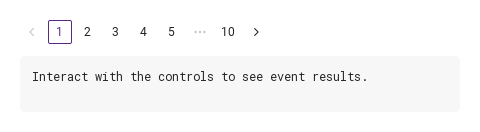
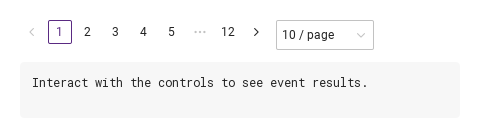
SyPagination is the row of page cells under a list or table: an arrow, the first page, the pages around the current one with ⋯ for the gaps, the last page, an arrow

Qt capture · image
Basic composition · Default
Default execution
QML code
import QtQuick
import Syidax.Core

Item {
    component EventLog: Rectangle {
        id: logBox
        property var lines: []
        implicitWidth: 440
        implicitHeight: Math.max(56, logText.implicitHeight + 24)
        radius: 4; color: Theme.semantic.backgroundBold
        function log(value) { lines = lines.slice(-3).concat([String(value)]) }
        Text {
            id: logText; x: 12; y: 12; width: parent.width - 24
            text: logBox.lines.length ? logBox.lines.join("\n") : "Interact with the controls to see event results."
            wrapMode: Text.Wrap; color: Theme.semantic.textDefault
            font.family: Theme.monoFontFamily; font.pixelSize: 12
        }
    }

    implicitWidth: Math.max(360, childrenRect.width)
    implicitHeight: childrenRect.height

    property QtObject settings: QtObject {
        id: storyArgs
        property int totalItems: 100
        property int pageSize: 10
        property int activePage: 1
        property string pageSizeOptions: ""
        property bool jumper: false
        property bool total: false
        property bool disabled: false
        property bool hideonSingle: false
    }


    Column {
        spacing: 12
        SyPagination {
            totalItems: storyArgs.totalItems
            pageSizeOptions: storyArgs.pageSizeOptions
            jumper: storyArgs.jumper
            total: storyArgs.total
            disabled: storyArgs.disabled
            hideonSingle: storyArgs.hideonSingle
            onPageChanged: (page) => output.log(page)
            Binding on pageSize { value: storyArgs.pageSize }
            Binding on activePage { value: storyArgs.activePage }
        }
        EventLog { id: output }
    }

}

02 pageSizeOptions · jumper · total

Compare the configuration and result of pageSizeOptions · jumper · total.

Qt capture · image
pageSizeOptions · jumper · total · Default
QML code
import QtQuick
import Syidax.Core

Item {
    implicitWidth: Math.max(360, childrenRect.width)
    implicitHeight: childrenRect.height
    // Focused Gallery routes: keep only the selected API and its prerequisites.
    id: featureStory

    property QtObject settings: QtObject {
        id: storyArgs
        property string pageSizeOptions: "10,20,50"
        property bool jumper: true
        property bool total: true
    }


    SyPagination { id: featureTarget0;
        totalItems: 250
        pageSizeOptions: storyArgs.pageSizeOptions
        jumper: storyArgs.jumper
        total: storyArgs.total
    }
}

03 pageChanged · pageSizeChanged

pageChanged(page: int) fires when the current page actually changes through the component: a click on a page cell or an arrow, a number typed into the Go-to field, or goTo(page).

Qt capture · image
pageChanged · pageSizeChanged · Default
Default execution
QML code
import QtQuick
import Syidax.Core

Item {
    component EventLog: Rectangle {
        id: logBox
        property var lines: []
        implicitWidth: 440
        implicitHeight: Math.max(56, logText.implicitHeight + 24)
        radius: 4; color: Theme.semantic.backgroundBold
        function log(value) { lines = lines.slice(-3).concat([String(value)]) }
        Text {
            id: logText; x: 12; y: 12; width: parent.width - 24
            text: logBox.lines.length ? logBox.lines.join("\n") : "Interact with the controls to see event results."
            wrapMode: Text.Wrap; color: Theme.semantic.textDefault
            font.family: Theme.monoFontFamily; font.pixelSize: 12
        }
    }

    implicitWidth: Math.max(360, childrenRect.width)
    implicitHeight: childrenRect.height
    // Focused Gallery routes: keep only the selected API and its prerequisites.
    id: featureStory


    Column {
        spacing: 12
        SyPagination {
            id: pager
            totalItems: 120
            pageSizeOptions: "10,20,50"
            onPageChanged: (page) => { if (true) { output.log(("pageChanged: %1").arg(page)) } }
            onPageSizeChanged: { if (true) { output.log(("pageSizeChanged: %1").arg(pager.pageSize)) } }
        }
        EventLog { id: output }
    }
}

04 goTo

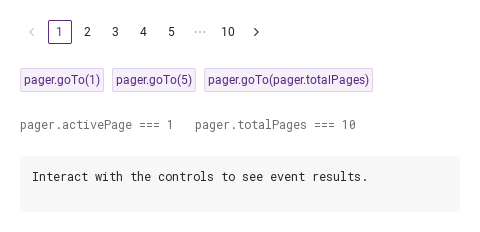
goTo(page) moves to a page from code the way a click does: the page is clamped to 1 … totalPages, and if the result differs from activePage it becomes the current page and pageChanged(page) fires.

Qt capture · image
goTo · Default
QML code
import QtQuick
import Syidax.Core

Item {
    component EventLog: Rectangle {
        id: logBox
        property var lines: []
        implicitWidth: 440
        implicitHeight: Math.max(56, logText.implicitHeight + 24)
        radius: 4; color: Theme.semantic.backgroundBold
        function log(value) { lines = lines.slice(-3).concat([String(value)]) }
        Text {
            id: logText; x: 12; y: 12; width: parent.width - 24
            text: logBox.lines.length ? logBox.lines.join("\n") : "Interact with the controls to see event results."
            wrapMode: Text.Wrap; color: Theme.semantic.textDefault
            font.family: Theme.monoFontFamily; font.pixelSize: 12
        }
    }

    implicitWidth: Math.max(360, childrenRect.width)
    implicitHeight: childrenRect.height

    Column {
        spacing: 24
        SyPagination { id: pager; totalItems: 100; onPageChanged: (page) => output.log(page) }
        Row {
            spacing: 8
            SyButton { id: exampleControl1;  text: "pager.goTo(1)"; variant: "secondary"; size: "small"; onClicked: pager.goTo(1) }
            SyButton { id: exampleControl2;  text: "pager.goTo(5)"; variant: "secondary"; size: "small"; onClicked: pager.goTo(5) }
            SyButton { id: exampleControl3;  text: "pager.goTo(pager.totalPages)"; variant: "secondary"; size: "small"; onClicked: pager.goTo(pager.totalPages) }
        }
        Text {
            text: "pager.activePage === " + pager.activePage + "   pager.totalPages === " + pager.totalPages
            font.family: Theme.monoFontFamily
            font.pixelSize: 12
            color: Theme.semantic.textSubtle
        }
        EventLog { id: output }
    }
}

05 Page size and jump

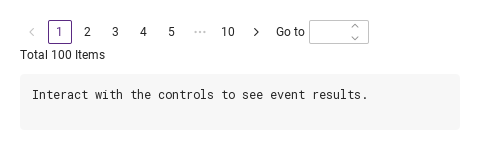
Page size and jump, configured with jumper, total.

Qt capture · image
Page size and jump · Result
Default execution
QML code
import QtQuick
import Syidax.Core

Item {
    component EventLog: Rectangle {
        id: logBox
        property var lines: []
        implicitWidth: 440
        implicitHeight: Math.max(56, logText.implicitHeight + 24)
        radius: 4; color: Theme.semantic.backgroundBold
        function log(value) { lines = lines.slice(-3).concat([String(value)]) }
        Text {
            id: logText; x: 12; y: 12; width: parent.width - 24
            text: logBox.lines.length ? logBox.lines.join("\n") : "Interact with the controls to see event results."
            wrapMode: Text.Wrap; color: Theme.semantic.textDefault
            font.family: Theme.monoFontFamily; font.pixelSize: 12
        }
    }

    implicitWidth: Math.max(360, childrenRect.width)
    implicitHeight: childrenRect.height

    property QtObject settings: QtObject {
        id: storyArgs
        property int totalItems: 100
        property int pageSize: 10
        property int activePage: 1
        property string pageSizeOptions: ""
        property bool jumper: true
        property bool total: true
        property bool disabled: false
        property bool hideonSingle: false
    }


    Column {
        spacing: 12
        SyPagination {
            totalItems: storyArgs.totalItems
            pageSizeOptions: storyArgs.pageSizeOptions
            jumper: storyArgs.jumper
            total: storyArgs.total
            disabled: storyArgs.disabled
            hideonSingle: storyArgs.hideonSingle
            onPageChanged: (page) => output.log(page)
            Binding on pageSize { value: storyArgs.pageSize }
            Binding on activePage { value: storyArgs.activePage }
        }
        EventLog { id: output }
    }

}

06 Disabled pagination

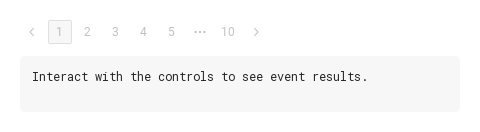
Disabled pagination, configured with disabled.

Qt capture · image
Disabled pagination · Result
Default execution
QML code
import QtQuick
import Syidax.Core

Item {
    component EventLog: Rectangle {
        id: logBox
        property var lines: []
        implicitWidth: 440
        implicitHeight: Math.max(56, logText.implicitHeight + 24)
        radius: 4; color: Theme.semantic.backgroundBold
        function log(value) { lines = lines.slice(-3).concat([String(value)]) }
        Text {
            id: logText; x: 12; y: 12; width: parent.width - 24
            text: logBox.lines.length ? logBox.lines.join("\n") : "Interact with the controls to see event results."
            wrapMode: Text.Wrap; color: Theme.semantic.textDefault
            font.family: Theme.monoFontFamily; font.pixelSize: 12
        }
    }

    implicitWidth: Math.max(360, childrenRect.width)
    implicitHeight: childrenRect.height

    property QtObject settings: QtObject {
        id: storyArgs
        property int totalItems: 100
        property int pageSize: 10
        property int activePage: 1
        property string pageSizeOptions: ""
        property bool jumper: false
        property bool total: false
        property bool disabled: true
        property bool hideonSingle: false
    }


    Column {
        spacing: 12
        SyPagination {
            totalItems: storyArgs.totalItems
            pageSizeOptions: storyArgs.pageSizeOptions
            jumper: storyArgs.jumper
            total: storyArgs.total
            disabled: storyArgs.disabled
            hideonSingle: storyArgs.hideonSingle
            onPageChanged: (page) => output.log(page)
            Binding on pageSize { value: storyArgs.pageSize }
            Binding on activePage { value: storyArgs.activePage }
        }
        EventLog { id: output }
    }

}

API 33

Hover or select an item for its QML example and copy button.

Properties

PropertyTypeDefaultDescription
int0The number of items; with pageSize gives totalPages
int10Items per page. Set by a pick in the size select or by the app; onPageSizeChanged runs either way
int1The current page, 1-based. Set it to move silently; clicks, the field and goTo() set it and report
string""Comma-separated sizes for the "N / page" select, e.g. "10,20,50"; empty hides the select
boolfalseThe "Go to" number field
boolfalseThe "Total N Items" line under the row
boolfalseEverything inert and dimmed; goTo() ignored
boolfalseHidden while totalPages ≤ 1
int (read-only)—⌈totalItems / pageSize⌉, at least 1
var (read-only)—pageSizeOptions parsed into positive numbers
var (read-only)—The cells between the first and the last page: numbers, or "more" for ⋯
int (read-only)5The pages shown in full near either end
int (read-only)1the neighbours shown around the current page
Item (read-only)—The SySelect and the SyInputNumber inside, for styling or focus

Methods

MethodDescription
Clamps page to 1 … totalPages, moves there and emits pageChanged. Ignored while disabled; silent when already on that page. No return value

Signals

SignalArgumentsWhen
page: intThe current page changed through a cell, an arrow, the Go-to field or goTo(). Not when activePage is set from code, not for a move to the same page, not while disabled
—pageSize changed — a pick in the size select or an assignment; read pageSize

Behavior

ItemBehavior / conditions
⌈totalItems / pageSize⌉, at least 1
The number of items; with pageSize gives totalPages
Items per page. Set by a pick in the size select or by the app; onPageSizeChanged runs either way
The current page, 1-based. Set it to move silently; clicks, the field and goTo() set it and report
Clamps page to 1 … totalPages, moves there and emits pageChanged. Ignored while disabled; silent when already on that page. No return value
The current page changed through a cell, an arrow, the Go-to field or goTo(). Not when activePage is set from code, not for a move to the same page, not while disabled
Comma-separated sizes for the "N / page" select, e.g. "10,20,50"; empty hides the select
pageSizeOptions parsed into positive numbers
pageSize changed — a pick in the size select or an assignment; read pageSize
The "Go to" number field
The "Total N Items" line under the row
Everything inert and dimmed; goTo() ignored
Hidden while totalPages ≤ 1
The pagination is a column: the row (arrows, cells, select, field) and, under it, the total line; its implicit size follows its parts. Place it in a layout or anchor it; it does not stretch.

Keyboard

ItemBehavior / conditions
SyTable and SyTree show the page the pagination asks for; SySelect and SyInputNumber are the parts it is built from.