QML
← All components

PDF Viewer

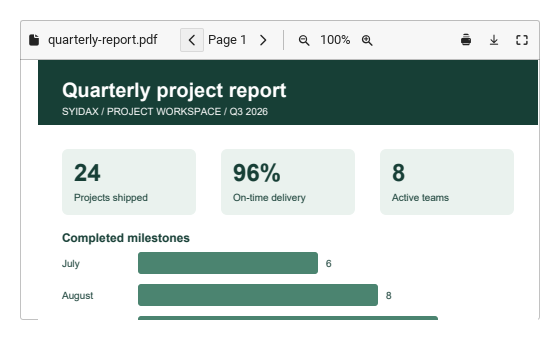
Display PDF documents inside the application, with page navigation and zoom controls.

import Syidax.Core.PdfViewer

Supported QML types

TypeDefinition / role
Loads PDF documents and provides page navigation and zoom; requires QtQuick.Pdf.

Learn by example

Previews are images of native Qt runs. Use the buttons below each image to view a result.

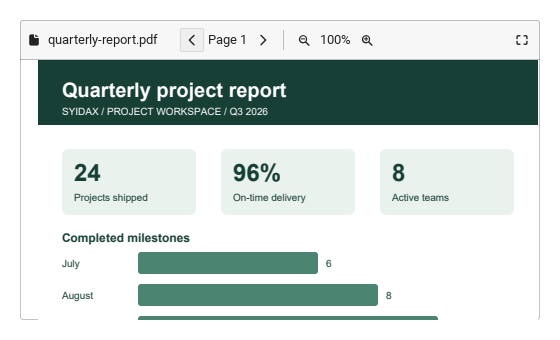
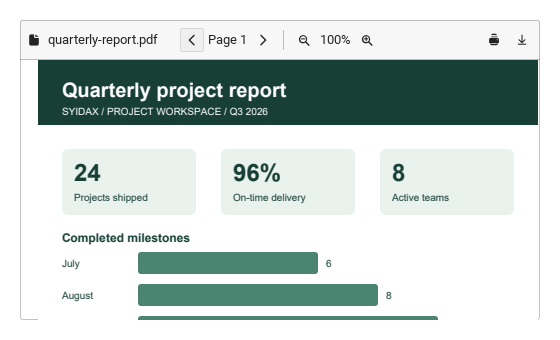
01 Basic composition

PDF preview with an optional QtQuick.Pdf host.

Qt capture · image
Basic composition · Default
Default execution
QML code
import QtQuick
import Syidax.Core

Item {
    implicitWidth: Math.max(360, childrenRect.width)
    implicitHeight: childrenRect.height
    id: story

    property QtObject settings: QtObject {
        id: storyArgs
        property string fileName: "quarterly-report.pdf"
        property bool showToolbar: true
        property bool downloadable: true
        property bool printable: true
        property bool fullscreenable: true
        property string emptyText: "No PDF selected"
    }


    SyPdfViewer {
        src: Qt.resolvedUrl("docs/quarterly-report.pdf")
        width: 520
        height: 300
        fileName: storyArgs.fileName
        showToolbar: storyArgs.showToolbar
        downloadable: storyArgs.downloadable
        printable: storyArgs.printable
        fullscreenable: storyArgs.fullscreenable
        emptyText: storyArgs.emptyText
    }

}

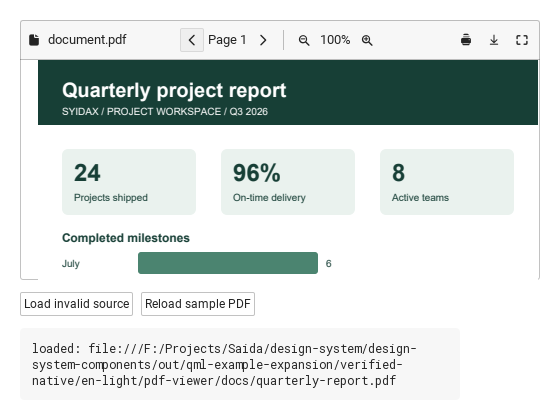
02 loaded · failed · pageChanged · zoomChanged · fullscreenChanged · printRequested · downloadRequested

loaded({src,pageCount}) follows actual Ready.

Qt capture · image
loaded · failed · pageChanged · zoomChanged · fullscreenChanged · printRequested · downloadRequested · Default
QML code
import QtQuick
import Syidax.Core

Item {
    component EventLog: Rectangle {
        id: logBox
        property var lines: []
        implicitWidth: 440
        implicitHeight: Math.max(56, logText.implicitHeight + 24)
        radius: 4; color: Theme.semantic.backgroundBold
        function log(value) { lines = lines.slice(-3).concat([String(value)]) }
        Text {
            id: logText; x: 12; y: 12; width: parent.width - 24
            text: logBox.lines.length ? logBox.lines.join("\n") : "Interact with the controls to see event results."
            wrapMode: Text.Wrap; color: Theme.semantic.textDefault
            font.family: Theme.monoFontFamily; font.pixelSize: 12
        }
    }

    implicitWidth: Math.max(360, childrenRect.width)
    implicitHeight: childrenRect.height
    // Focused Gallery routes: keep only the selected API and its prerequisites.

    id: story


    Column {
        spacing: 12
        SyPdfViewer {
            id: pdf
            width: 520; height: 260
            src: Qt.resolvedUrl("docs/quarterly-report.pdf")
            onLoaded: (detail) => { if (true) { output.log(("loaded: %1").arg(detail.src)) } }
            onFailed: (detail) => { if (true) { output.log(("failed: %1").arg(detail.src)) } }
            onPageChanged: { if (true) { output.log(("pageChanged: %1").arg(pdf.page)) } }
            onZoomChanged: { if (true) { output.log(("zoomChanged: %1").arg(pdf.zoom)) } }
            onFullscreenChanged: { if (true) { output.log(("fullscreenChanged: %1").arg(pdf.fullscreen)) } }
            onPrintRequested: (detail) => { if (true) { output.log(("printRequested: %1").arg(detail.fileName)) } }
            onDownloadRequested: (detail) => { if (true) { output.log(("downloadRequested: %1").arg(detail.fileName)) } }
        }
        Row {
            spacing: 8
            SyButton { id: exampleControl1;  visible: true; text: "Load invalid source"; size: "small"; onClicked: pdf.src = Qt.resolvedUrl("docs/missing.pdf") }
            SyButton { id: exampleControl2;  visible: true; text: "Reload sample PDF"; size: "small"; onClicked: { pdf.src = Qt.resolvedUrl("docs/quarterly-report.pdf"); pdf.reload() } }
        }
        EventLog { id: output }
    }
}

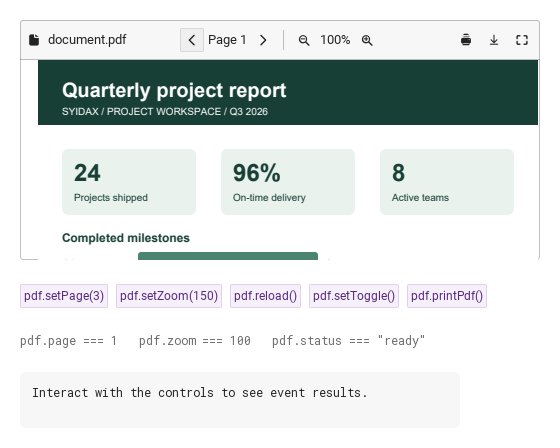
03 setPage · setZoom · reload · setToggle · printPdf

setPage uses native navigation bounded by pageCount; setZoom clamps to 25–400%.

Qt capture · image
setPage · setZoom · reload · setToggle · printPdf · Default
QML code
import QtQuick
import Syidax.Core

Item {
    component EventLog: Rectangle {
        id: logBox
        property var lines: []
        implicitWidth: 440
        implicitHeight: Math.max(56, logText.implicitHeight + 24)
        radius: 4; color: Theme.semantic.backgroundBold
        function log(value) { lines = lines.slice(-3).concat([String(value)]) }
        Text {
            id: logText; x: 12; y: 12; width: parent.width - 24
            text: logBox.lines.length ? logBox.lines.join("\n") : "Interact with the controls to see event results."
            wrapMode: Text.Wrap; color: Theme.semantic.textDefault
            font.family: Theme.monoFontFamily; font.pixelSize: 12
        }
    }

    implicitWidth: Math.max(360, childrenRect.width)
    implicitHeight: childrenRect.height
    // Focused Gallery routes: keep only the selected API and its prerequisites.
    id: featureStory

    Column {
        spacing: 24
        SyPdfViewer { id: pdf; width: 520; height: 240; src: Qt.resolvedUrl("docs/quarterly-report.pdf"); onPrintRequested: (detail) => output.log(detail.fileName) }
        Flow {
            width: 520
            spacing: 8
            SyButton { id: exampleControl1;  visible: true; text: "pdf.setPage(3)"; variant: "secondary"; size: "small"; onClicked: pdf.setPage(3) }
            SyButton { id: exampleControl2;  visible: true; text: "pdf.setZoom(150)"; variant: "secondary"; size: "small"; onClicked: pdf.setZoom(150) }
            SyButton { id: exampleControl3;  visible: true; text: "pdf.reload()"; variant: "secondary"; size: "small"; onClicked: pdf.reload() }
            SyButton { visible: true; text: "pdf.setToggle()"; variant: "secondary"; size: "small"; onClicked: pdf.setToggle() }
            SyButton { visible: true; text: "pdf.printPdf()"; variant: "secondary"; size: "small"; onClicked: pdf.printPdf() }
        }
        Text {
            text: "pdf.page === " + pdf.page + "   pdf.zoom === " + pdf.zoom + "   pdf.status === " + JSON.stringify(pdf.status)
            font.family: Theme.monoFontFamily
            font.pixelSize: 12
            color: Theme.semantic.textSubtle
        }
        EventLog { id: output }
    }
}

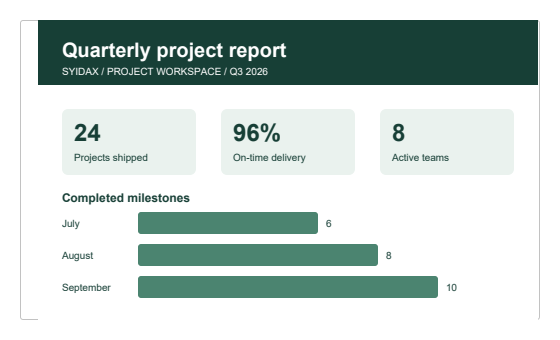
04 Document without toolbar

Document without toolbar, configured with showToolbar.

Qt capture · image
Document without toolbar · Result
Default execution
QML code
import QtQuick
import Syidax.Core

Item {
    implicitWidth: Math.max(360, childrenRect.width)
    implicitHeight: childrenRect.height
    id: story

    property QtObject settings: QtObject {
        id: storyArgs
        property string fileName: "quarterly-report.pdf"
        property bool showToolbar: false
        property bool downloadable: true
        property bool printable: true
        property bool fullscreenable: true
        property string emptyText: "No PDF selected"
    }


    SyPdfViewer {
        src: Qt.resolvedUrl("docs/quarterly-report.pdf")
        width: 520
        height: 300
        fileName: storyArgs.fileName
        showToolbar: storyArgs.showToolbar
        downloadable: storyArgs.downloadable
        printable: storyArgs.printable
        fullscreenable: storyArgs.fullscreenable
        emptyText: storyArgs.emptyText
    }

}

05 View-only document

View-only document, configured with downloadable, printable.

Qt capture · image
View-only document · Result
Default execution
QML code
import QtQuick
import Syidax.Core

Item {
    implicitWidth: Math.max(360, childrenRect.width)
    implicitHeight: childrenRect.height
    id: story

    property QtObject settings: QtObject {
        id: storyArgs
        property string fileName: "quarterly-report.pdf"
        property bool showToolbar: true
        property bool downloadable: false
        property bool printable: false
        property bool fullscreenable: true
        property string emptyText: "No PDF selected"
    }


    SyPdfViewer {
        src: Qt.resolvedUrl("docs/quarterly-report.pdf")
        width: 520
        height: 300
        fileName: storyArgs.fileName
        showToolbar: storyArgs.showToolbar
        downloadable: storyArgs.downloadable
        printable: storyArgs.printable
        fullscreenable: storyArgs.fullscreenable
        emptyText: storyArgs.emptyText
    }

}

06 Embedded document

Embedded document, configured with fullscreenable.

Qt capture · image
Embedded document · Result
Default execution
QML code
import QtQuick
import Syidax.Core

Item {
    implicitWidth: Math.max(360, childrenRect.width)
    implicitHeight: childrenRect.height
    id: story

    property QtObject settings: QtObject {
        id: storyArgs
        property string fileName: "quarterly-report.pdf"
        property bool showToolbar: true
        property bool downloadable: true
        property bool printable: true
        property bool fullscreenable: false
        property string emptyText: "No PDF selected"
    }


    SyPdfViewer {
        src: Qt.resolvedUrl("docs/quarterly-report.pdf")
        width: 520
        height: 300
        fileName: storyArgs.fileName
        showToolbar: storyArgs.showToolbar
        downloadable: storyArgs.downloadable
        printable: storyArgs.printable
        fullscreenable: storyArgs.fullscreenable
        emptyText: storyArgs.emptyText
    }

}

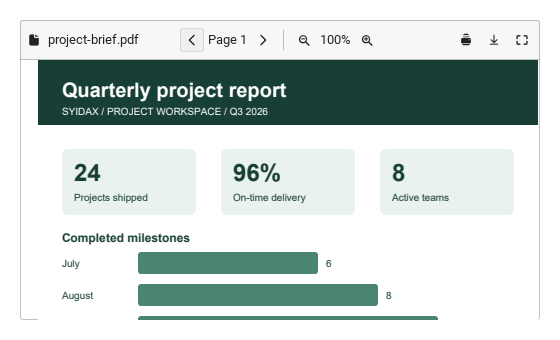
07 Document filename

Document filename, configured with fileName.

Qt capture · image
Document filename · Result
Default execution
QML code
import QtQuick
import Syidax.Core

Item {
    implicitWidth: Math.max(360, childrenRect.width)
    implicitHeight: childrenRect.height
    id: story

    property QtObject settings: QtObject {
        id: storyArgs
        property string fileName: "project-brief.pdf"
        property bool showToolbar: true
        property bool downloadable: true
        property bool printable: true
        property bool fullscreenable: true
        property string emptyText: "No PDF selected"
    }


    SyPdfViewer {
        src: Qt.resolvedUrl("docs/quarterly-report.pdf")
        width: 520
        height: 300
        fileName: storyArgs.fileName
        showToolbar: storyArgs.showToolbar
        downloadable: storyArgs.downloadable
        printable: storyArgs.printable
        fullscreenable: storyArgs.fullscreenable
        emptyText: storyArgs.emptyText
    }

}

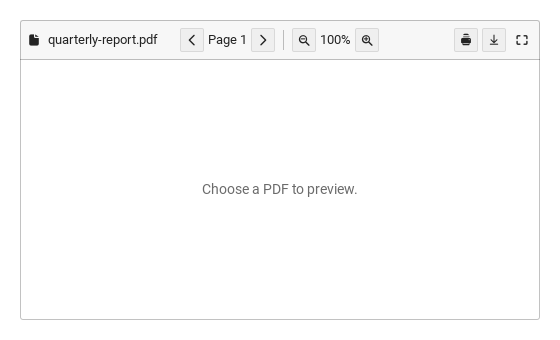
08 Empty document

Empty document, configured with emptyText.

Qt capture · image
Empty document · Result
Default execution
QML code
import QtQuick
import Syidax.Core

Item {
    implicitWidth: Math.max(360, childrenRect.width)
    implicitHeight: childrenRect.height
    id: story

    property QtObject settings: QtObject {
        id: storyArgs
        property string fileName: "quarterly-report.pdf"
        property bool showToolbar: true
        property bool downloadable: true
        property bool printable: true
        property bool fullscreenable: true
        property string emptyText: "Choose a PDF to preview."
    }


    SyPdfViewer {
        width: 520
        height: 300
        fileName: storyArgs.fileName
        showToolbar: storyArgs.showToolbar
        downloadable: storyArgs.downloadable
        printable: storyArgs.printable
        fullscreenable: storyArgs.fullscreenable
        emptyText: storyArgs.emptyText
    }

}

API 36

Hover or select an item for its QML example and copy button.

Properties

NameType / defaultDescription
Display metadata and host print/download filename; it does not change the PDF source.
Shows the viewer navigation and action toolbar.
Shows the download request control. The host handles the actual save.
Shows the print request control. The host handles actual printing.
Shows the fullscreen control. Escape restores the frame.
Message shown when src is empty; separate from the error fallback.

Methods

NameType / defaultDescription
setPage(n) navigates the loaded PDF. n is 1-based and clamped to the actual page count.
setZoom(percent) changes native render scale, limited to 25–400 percent.
Reloads the current source and waits for actual parsing. It emits loaded on success or failed with the cause.
Switches between fullscreen and the original frame. Escape restores the original position and size.
Emits printRequested({src, fileName}) for the host when a source is set. The demo displays the request instead of opening a print job.

Signals

NameType / defaultDescription
Emitted only after PDF parsing reaches Ready. detail contains src and pageCount. Reload a valid local PDF to observe it.
Emitted for an unreadable/invalid file, unavailable PDF module, password requirement or unsupported remote URL. detail.error explains the failure.
Page property notification. Use Previous/Next; page is 1-based and bounded by pageCount. Read page in the handler.
Zoom property notification. Use zoom controls; the range is 25–400 percent and native gestures also synchronize it.
Toggle fullscreen and restore; the property reports whether the frame is in the window overlay. Escape also restores it.
The print control emits {src, fileName}. This demo logs the host request; the application supplies the actual printing implementation.
The download control emits {src, fileName}. This demo logs the request; the application supplies the file-saving implementation.

PDF loading contract

ItemBehavior / conditions
SyPdfViewer uses the optional QtQuick.Pdf module. src supports local file:/qrc: URLs. Download HTTP(S) sources in the host first, then pass a local URL. Password-protected documents require a host adapter; the viewer reports an error instead of claiming readiness.

PDF loading contract

State / eventMeaning
Empty src; page=1, pageCount=0
The view exists but PDF parsing has not completed
Emitted only after PDF parsing reaches Ready. detail contains src and pageCount. Reload a valid local PDF to observe it.
Missing module, missing/unreadable/invalid file, password requirement or unsupported remote source
Emitted for an unreadable/invalid file, unavailable PDF module, password requirement or unsupported remote URL. detail.error explains the failure.

PDF loading contract

ItemBehavior / conditions
Readonly error explains failure; fallbackText controls the visible fallback. Replacing src removes the previous view and ignores late callbacks. reload() repeats the load. QML object creation alone never implies loaded.

Navigation and host actions

ItemBehavior / conditions
page is 1-based and bounded by pageCount when ready; setPage(n) uses native navigation. Navigation within the view also updates page. zoom/setZoom(n) use 25–400 percent and synchronize with native renderScale in both directions. pageChanged/zoomChanged are ordinary property notifications: an invalid assignment can notify its normalization too. A no-op setter does not emit another loaded event.
showToolbar, downloadable, printable and fullscreenable default to true. fileName is display metadata independent of src. labels supplies previous/next/zoomOut/zoomIn/print/download/fullscreen/restore text; emptyText and fallbackText are also host-localized strings. The default size is 480 × 640 logical pixels.
printPdf()/download() emit printRequested/downloadRequested({src,fileName}) with a source set. Printing, saving and network access belong to the host. setFullScreen()/setRestore()/setToggle() move/restore the frame in the window overlay; Escape restores it. document exposes the native view for observation; never assign readonly currentPage.
The example needs a real report.pdf beside the QML file and a QtQuick.Pdf host. Without either the error path is expected.

Navigation and host actions

ItemExample calls
import QtQuick import Syidax.Core.PdfViewer SyPdfViewer { width: 720; height: 540 src: Qt.resolvedUrl("report.pdf") fileName: "report.pdf" onLoaded: (detail) => console.log("pages", detail.pageCount) onFailed: (detail) => console.log("PDF error", detail.error) onPrintRequested: (detail) => console.log("Host print request", detail.src) }
Display metadata and host print/download filename; it does not change the PDF source.
Emitted only after PDF parsing reaches Ready. detail contains src and pageCount. Reload a valid local PDF to observe it.
Emitted for an unreadable/invalid file, unavailable PDF module, password requirement or unsupported remote URL. detail.error explains the failure.
The print control emits {src, fileName}. This demo logs the host request; the application supplies the actual printing implementation.