Run with --diagnose --json to check your Qt version, import path, fonts, runtime and license. No license token is printed.
The Gallery evaluation app is available now. Paid SDK sales and downloads are coming soon. The installation examples above preview the SDK workflow.
Tested Windows configurations
Native window and example smoke checks cover the versions below. Qt 6.8 is a source minimum, not a promise of tested support for every Qt release. Gallery uses software rendering.
Two complete application examples
Step-by-step captures from the running Windows applications. Play, pause and inspect each state.
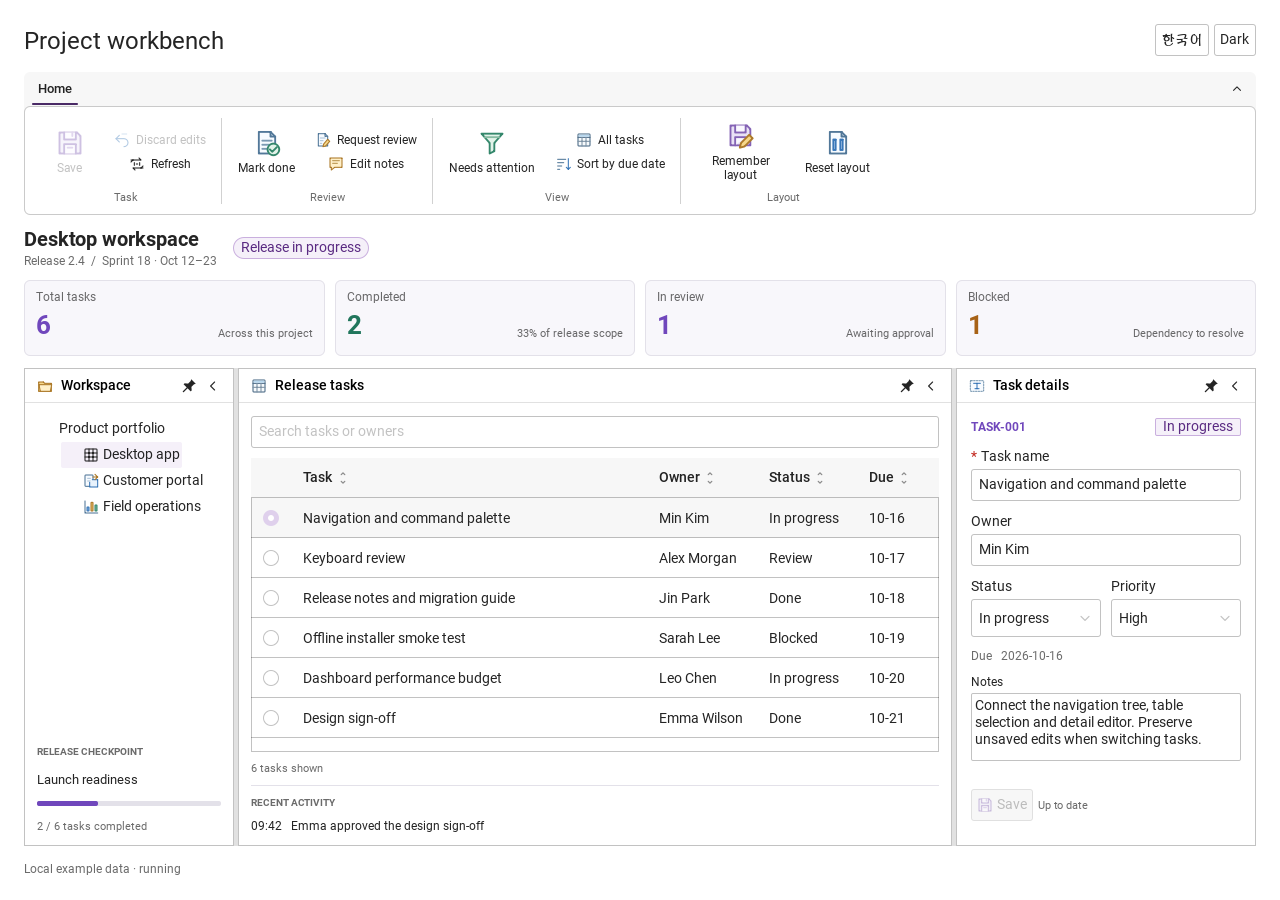
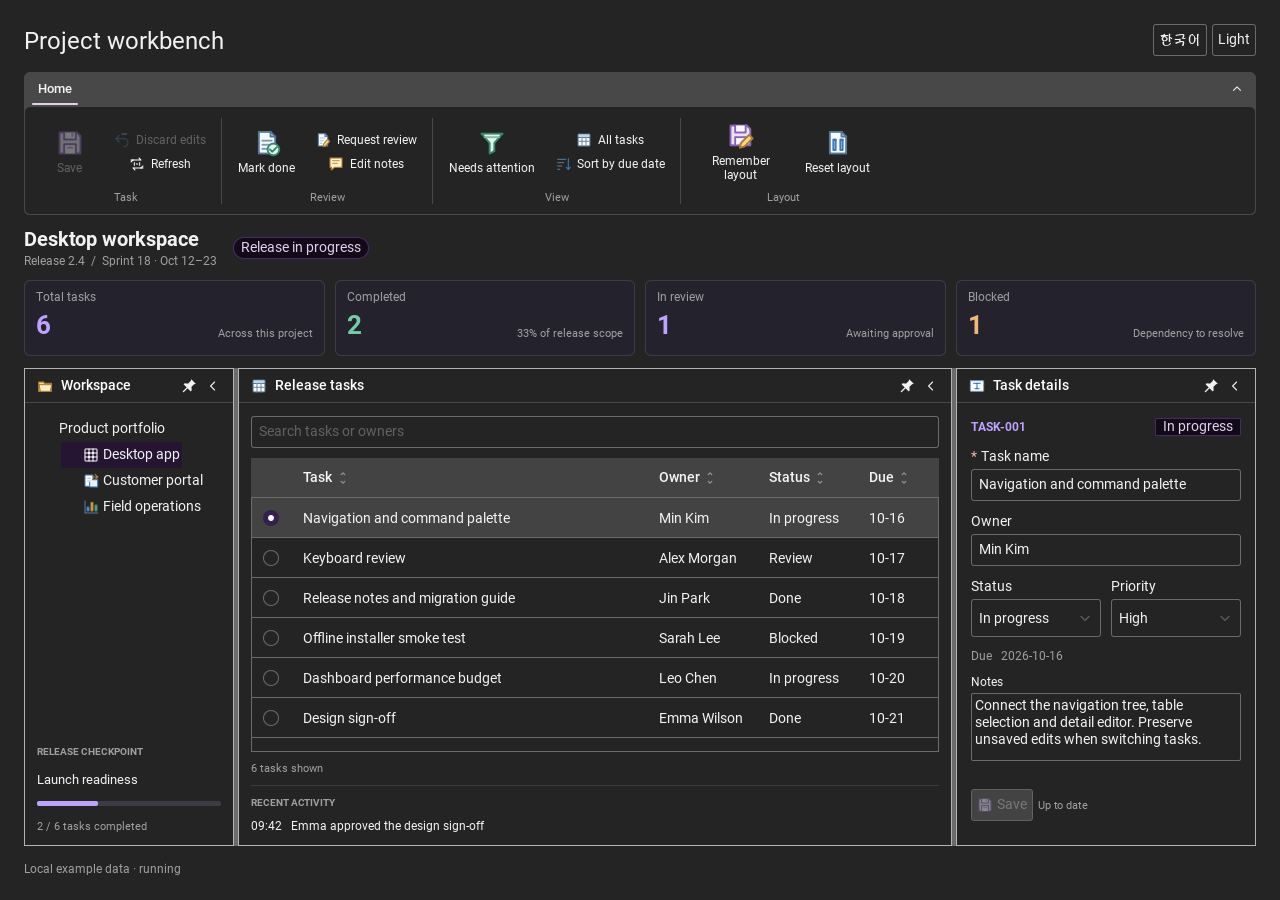
Workbench: mark a task done, save changes and see release progress update.Record Manager: preserve a failed save, retry, search and confirm before deleting.
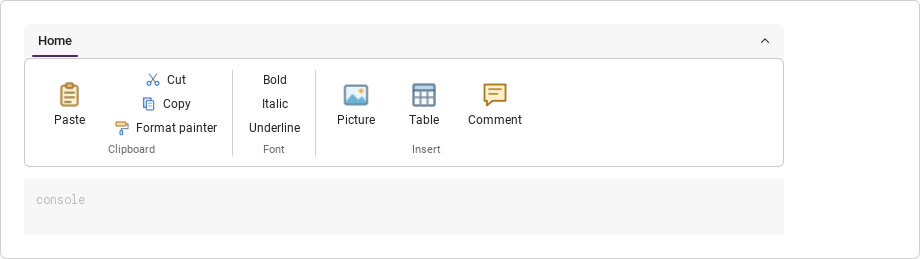
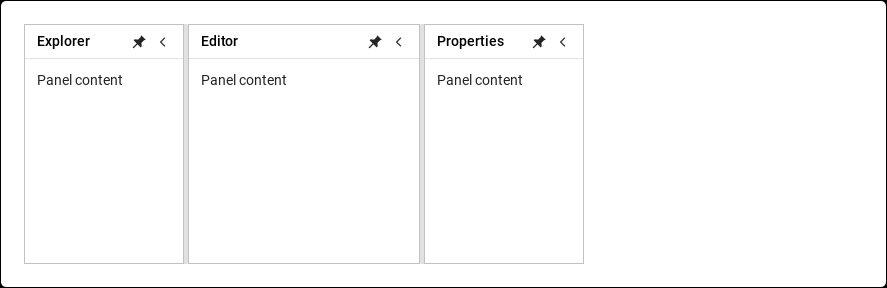
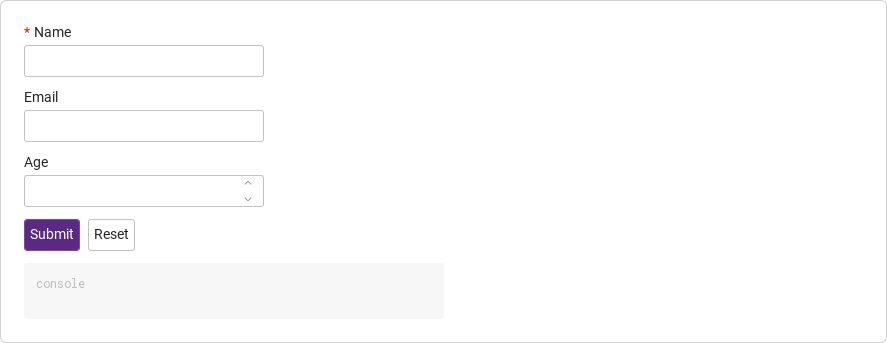
See the components in context
RibbonPanelFormTableTreeTheme
TRY IT YOURSELF
The native Gallery
Browse examples, inspect properties and switch between light and dark themes in a Windows application. The Gallery is for evaluation; commercial SDK access is separate.
The --qml path must contain the Syidax folder. Python uses qml-pure. Run from the unzipped SDK, independently of the source repository.
License is inactive or frozen
Download your QML Core certificate and pass it with --license. Web Core, Chart and Grid certificates do not activate QML. Monthly use ends at expiry. Annual licenses retain only releases covered by their update period.
Qt or plugin mismatch
Check the Qt version and architecture used to build plugins. Do not mix Python Qt bindings. qml-pure removes the compiled plugin ABI dependency.
PDF or icons missing
PDF requires the optional QtQuick.Pdf module. Other Core components remain usable without it. For icon packs and resource paths, read SDK docs/ICON-PACKS.md.
Save failure or corrupt settings
Examples write only to their application-data folder. Check permissions and disk space. Invalid JSON is backed up before reset. A failed save preserves your draft.
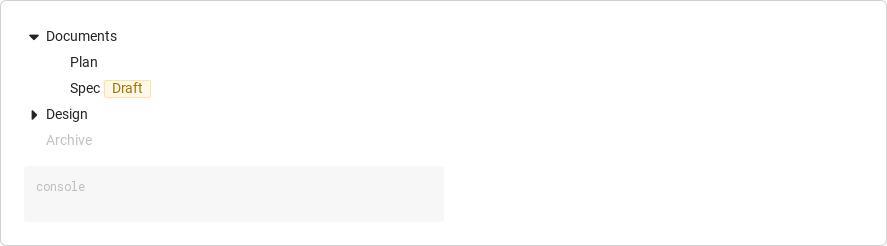
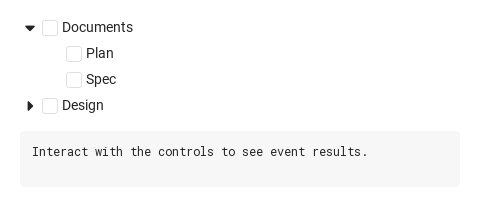
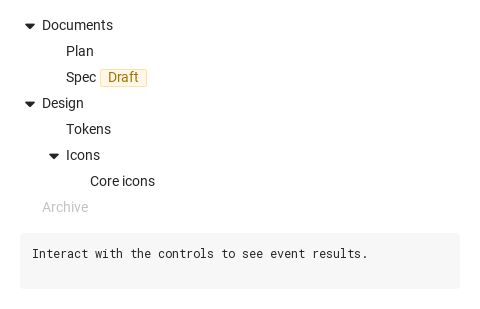
Browse hierarchical data such as folders or categories, with expandable branches and node selection.
import Syidax.Core.Tree
Supported QML types
Type
Definition / role
Hierarchical node view with expansion, selection, checking and editing.
Node row created by SyTree; access an existing row through item(value).
Learn by example
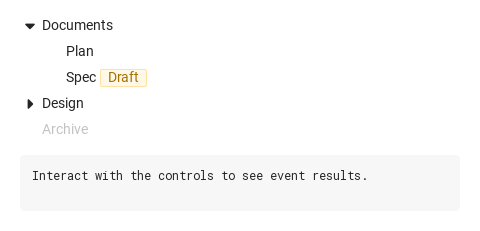
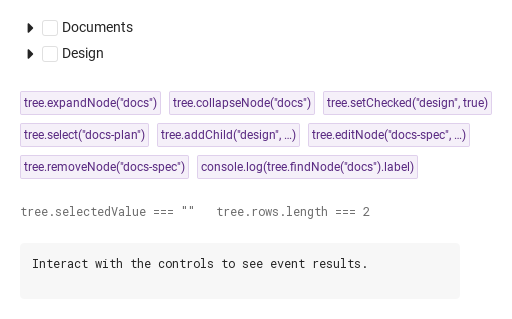
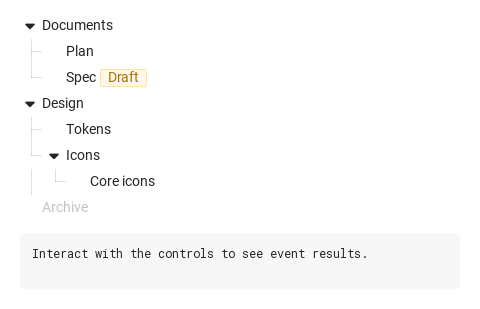
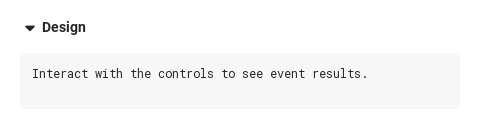
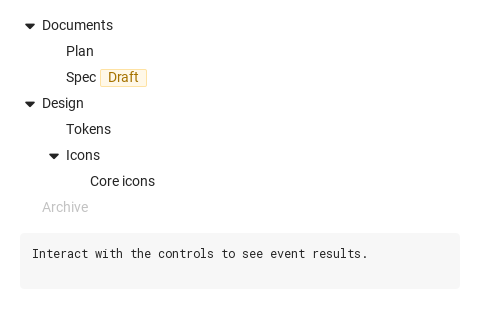
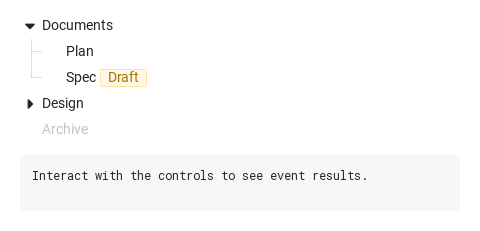
Previews are images of native Qt runs. Use the buttons below each image to view a result.
01 Basic composition
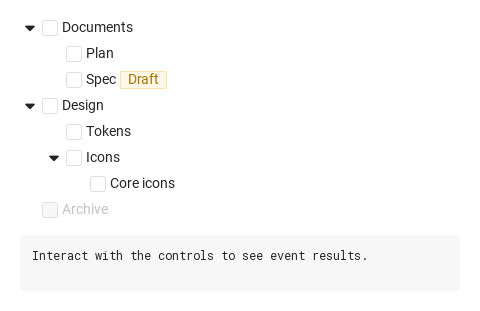
SyTree draws a hierarchical node model as indented rows — folders, categories, an org chart, anything where items contain other items and the user needs to open, pick or tick them.
Properties · SyTreeItem (one row; created by the tree — reach it with item(value))
Property
Type
Default
Description
var
null
The tree that owns the row; every action is forwarded to it.
var
{}
The node object the row draws.
string
""
The node's identity and text.
string
""
The node's identity and text.
int
0
Depth (24 px per level) and whether the row is the last sibling (shorter guide line).
bool
false
Depth (24 px per level) and whether the row is the last sibling (shorter guide line).
bool
false
Set by the tree while the subtree is animating: the row is 0 px high.
bool
false
Whether a caret is drawn and whether it points down.
bool
false
Whether a caret is drawn and whether it points down.
bool
false
Whether a caret is drawn and whether it points down.
bool
false
The check box and its state.
bool
false
The check box and its state.
bool
false
The check box and its state.
bool
false
Selection allowed
bool
false
the row ignores input
bool
false
drawn as selected.
bool
false
Which action buttons appear on hover.
bool
false
Which action buttons appear on hover.
bool
false
Which action buttons appear on hover.
string
"New item"
Placeholder of the add row.
url
""
A glyph before the label.
string
""
A small tag after the label and its color.
string
"gray"
A small tag after the label and its color.
string
""
The term to bold in the label.
bool
false
Guide lines
real
0
fixed row width.
bool
false
Whether the rename field / the add row is open.
bool
false
Whether the rename field / the add row is open.
bool (read-only)
—
The pointer is over the row
bool (read-only)
—
the action buttons are visible.
real (read-only)
24
Pixels per level.
Methods
Method
Description
Returns the node object from the current nodes, or null. Read-only use.
Open / close / flip a node with the animation and expandChanged; the first two do nothing when already in that state.
Open / close / flip a node with the animation and expandChanged; the first two do nothing when already in that state.
Open / close / flip a node with the animation and expandChanged; the first two do nothing when already in that state.
Checks the subtree, recomputes the ancestors, commits and emits itemChecked. Works regardless of checkable and disabled.
Sets selectedValue and emits itemSelected for an existing node, regardless of clickable / disabled.
Adds { value: parentValue + "-" + n, label, children: [] }, expands the parent, emits itemAdded; returns the child (or null when the parent is unknown). With manualAdd only emits and returns.
Sets the label, commits, emits itemEdited. Ignores fixed / editable.
Removes the node and its subtree, commits, emits itemRemoved (with manualRemove: emits only). Ignores fixed / removable.
Moves the node before / after / into targetValue ("before" · "after" · "into"; into also expands the target), commits and emits nodeMoved; returns true. Returns false and does nothing when a node is unknown or the target lies inside the moved subtree.
The SyTreeItem row of a shown node, or null.
The depth of a node (0 at the top), -1 when absent.
Methods
Item
Behavior / conditions
Row methods (SyTreeItem): toggleExpand(), setChecked(checked), select(), startEditing(), commitEdit(), startAdding(), commitAdd(), remove() — the same gates as the buttons (disabled, clickable, editable, appendable, removable).
Row methods (SyTreeItem): toggleExpand(), setChecked(checked), select(), startEditing(), commitEdit(), startAdding(), commitAdd(), remove() — the same gates as the buttons (disabled, clickable, editable, appendable, removable).
Row methods (SyTreeItem): toggleExpand(), setChecked(checked), select(), startEditing(), commitEdit(), startAdding(), commitAdd(), remove() — the same gates as the buttons (disabled, clickable, editable, appendable, removable).
Row methods (SyTreeItem): toggleExpand(), setChecked(checked), select(), startEditing(), commitEdit(), startAdding(), commitAdd(), remove() — the same gates as the buttons (disabled, clickable, editable, appendable, removable).
Row methods (SyTreeItem): toggleExpand(), setChecked(checked), select(), startEditing(), commitEdit(), startAdding(), commitAdd(), remove() — the same gates as the buttons (disabled, clickable, editable, appendable, removable).
Row methods (SyTreeItem): toggleExpand(), setChecked(checked), select(), startEditing(), commitEdit(), startAdding(), commitAdd(), remove() — the same gates as the buttons (disabled, clickable, editable, appendable, removable).
Row methods (SyTreeItem): toggleExpand(), setChecked(checked), select(), startEditing(), commitEdit(), startAdding(), commitAdd(), remove() — the same gates as the buttons (disabled, clickable, editable, appendable, removable).
Row methods (SyTreeItem): toggleExpand(), setChecked(checked), select(), startEditing(), commitEdit(), startAdding(), commitAdd(), remove() — the same gates as the buttons (disabled, clickable, editable, appendable, removable).
Signals
Signal
Arguments
When
detail: { value, label, checked }
A clickable, enabled row was clicked, Return / Space selected it, or select() ran. Not for non-clickable or disabled rows.
detail: { value, label, checked }
The box of a row was toggled (click, Space) or setChecked() ran; reports the node acted on and its new state.
detail: { value, label, expanded }
The caret, a double-click, Right / Left, expandNode / collapseNode / toggleExpand. Silent when the node was already in that state.
The add row was confirmed with a non-empty label or addChild() ran — also with manualAdd.
detail: { value, label }
A rename was committed with a new, non-empty label or editNode() ran.
detail: { value, label }
The × was pressed or removeNode() ran — also with manualRemove.
detail: { value, label, targetValue, position }
A drop landed or moveNode() ran and the node was moved before / after / into targetValue.
—
nodes holds a new array (after every change made by the tree, and when you assign it).
Signals
Item
Behavior / conditions
A row (SyTreeItem) emits expandChanged, checkChanged, itemSelected, itemAdded, itemRemoved, itemEdited for itself with the same shapes, just before the tree does; its itemAdded.childValue is "".
A row (SyTreeItem) emits expandChanged, checkChanged, itemSelected, itemAdded, itemRemoved, itemEdited for itself with the same shapes, just before the tree does; its itemAdded.childValue is "".
A row (SyTreeItem) emits expandChanged, checkChanged, itemSelected, itemAdded, itemRemoved, itemEdited for itself with the same shapes, just before the tree does; its itemAdded.childValue is "".
A row (SyTreeItem) emits expandChanged, checkChanged, itemSelected, itemAdded, itemRemoved, itemEdited for itself with the same shapes, just before the tree does; its itemAdded.childValue is "".
A row (SyTreeItem) emits expandChanged, checkChanged, itemSelected, itemAdded, itemRemoved, itemEdited for itself with the same shapes, just before the tree does; its itemAdded.childValue is "".
A row (SyTreeItem) emits expandChanged, checkChanged, itemSelected, itemAdded, itemRemoved, itemEdited for itself with the same shapes, just before the tree does; its itemAdded.childValue is "".
Behavior
Item
Behavior / conditions
The model: [{ value, label, children, expanded, checked, indeterminate, disabled, icon, tagMessage, tagVariant, clickable, editable, appendable, removable, fixed, appendPlaceholder }]. Replaced with a fresh copy on every change.
nodes holds a new array (after every change made by the tree, and when you assign it).
Returns the node object from the current nodes, or null. Read-only use.
The visible rows in order: { node, level, last, parentValue, ancestors }.
The node object the row draws.
The + button and addChild() only emit itemAdded; the model is left to the app.
The × button and removeNode() only emit itemRemoved.
Shows carets and hides the children of nodes that are not expanded. Off: every node is shown.
Keeps the branches whose labels contain the text (case-insensitive), opens them and bolds the match.
rows is the list of visible rows, rebuilt whenever nodes, expandable or searchTerm change: { node, level, last, parentValue, ancestors }.
rows is the list of visible rows, rebuilt whenever nodes, expandable or searchTerm change: { node, level, last, parentValue, ancestors }.
rows is the list of visible rows, rebuilt whenever nodes, expandable or searchTerm change: { node, level, last, parentValue, ancestors }. With expandable: false every node is shown and expanded is ignored; with it on, only nodes whose ancestors are expanded are shown, and a node with children gets a caret.
With expandable: false every node is shown and expanded is ignored; with it on, only nodes whose ancestors are expanded are shown, and a node with children gets a caret. expandAll rewrites the model: true sets expanded: true on every node that has children, false sets them all to false (it is applied at completion and whenever it changes). A node is kept when its own label contains the term or when any descendant's label does; while a term is set, every kept branch is open regardless of expanded, and the first occurrence in each label is drawn bold. The caret, a double-click on the row, Right / Left on a focused row, and expandNode / collapseNode / toggleExpand all go through the same path: the node's expanded is flipped, the model is committed, and expandChanged is emitted.
Rewrites expanded on every node with children — true opens all, false closes all — at completion and whenever it changes.
A check box toggles the node; setChecked then writes checked into the whole subtree and recomputes every ancestor: all children checked → checked, some checked or indeterminate → indeterminate, none → unchecked.
A check box toggles the node; setChecked then writes checked into the whole subtree and recomputes every ancestor: all children checked → checked, some checked or indeterminate → indeterminate, none → unchecked. The initial checked flags in your data are drawn as they are (the tree does not normalise them until the first toggle).
A check box toggles the node; setChecked then writes checked into the whole subtree and recomputes every ancestor: all children checked → checked, some checked or indeterminate → indeterminate, none → unchecked.
The box of a row was toggled (click, Space) or setChecked() ran; reports the node acted on and its new state.
A click (or Return) selects the row: selectedValue + itemSelected. A node can also set its own clickable.
The value of the selected node; set it to select from code without a signal, "" to clear.
A clickable, enabled row was clicked, Return / Space selected it, or select() ran. Not for non-clickable or disabled rows.
Sets selectedValue and emits itemSelected for an existing node, regardless of clickable / disabled.
select(value) from code bypasses the clickable and disabled gates. (disabled: true) are dimmed, take no hover, click, focus, caret, box or action button; the tree-level functions still act on them.
The caret, a double-click on the row, Right / Left on a focused row, and expandNode / collapseNode / toggleExpand all go through the same path: the node's expanded is flipped, the model is committed, and expandChanged is emitted.
The caret, a double-click on the row, Right / Left on a focused row, and expandNode / collapseNode / toggleExpand all go through the same path: the node's expanded is flipped, the model is committed, and expandChanged is emitted.
The caret, a double-click on the row, Right / Left on a focused row, and expandNode / collapseNode / toggleExpand all go through the same path: the node's expanded is flipped, the model is committed, and expandChanged is emitted.
The caret, a double-click on the row, Right / Left on a focused row, and expandNode / collapseNode / toggleExpand all go through the same path: the node's expanded is flipped, the model is committed, and expandChanged is emitted.
The pencil (editable on the tree or node, never on fixed), the + (appendable on the node) and the × (removable on the node, never on fixed) appear while the row is hovered and the node is not disabled. The functions editNode / removeNode / addChild are not gated by editable, removable or fixed.
The pencil (editable on the tree or node, never on fixed), the + (appendable on the node) and the × (removable on the node, never on fixed) appear while the row is hovered and the node is not disabled.
The pencil (editable on the tree or node, never on fixed), the + (appendable on the node) and the × (removable on the node, never on fixed) appear while the row is hovered and the node is not disabled. The functions editNode / removeNode / addChild are not gated by editable, removable or fixed.
Placeholder of the add row.
The add row was confirmed with a non-empty label or addChild() ran — also with manualAdd.
The × was pressed or removeNode() ran — also with manualRemove.
Sets the label, commits, emits itemEdited. Ignores fixed / editable.
Removes the node and its subtree, commits, emits itemRemoved (with manualRemove: emits only). Ignores fixed / removable.
Adds { value: parentValue + "-" + n, label, children: [] }, expands the parent, emits itemAdded; returns the child (or null when the parent is unknown). With manualAdd only emits and returns.
Every node (except fixed ones) gets the pencil button that renames in place.
Rows can be dragged onto one another: before / after / into the target; the drop calls moveNode() and nodeMoved reports it.
{ value, target, position } while a row is dragged over another (position"before" · "after" · "into").
While dragging, a line above or below the target, or a frame around it, shows where the drop lands, and dragState is { value, target, position } ("before" · "after" · "into"; null otherwise). The drop calls moveNode(value, targetValue, position), which can also be called from code: it returns false and does nothing when either node is unknown or the target lies inside the moved subtree; otherwise it commits the change (nodes holds a new array) and emits nodeMoved({ value, label, targetValue, position }).
Moves the node before / after / into targetValue ("before" · "after" · "into"; into also expands the target), commits and emits nodeMoved; returns true. Returns false and does nothing when a node is unknown or the target lies inside the moved subtree.
A drop landed or moveNode() ran and the node was moved before / after / into targetValue.
Rows are focusable with Tab (disabled rows are skipped) and show a focus outline. Space checks the row on a checkable tree, otherwise selects it; Return selects; Right opens a closed node with children; Left closes an open one.
implicitWidth is the widest row, or nodeWidth when it is set (then every row background spans that width — useful for a full-width hover/selection bar); implicitHeight is the sum of the visible rows, so the tree grows and shrinks with expansion.
implicitWidth is the widest row, or nodeWidth when it is set (then every row background spans that width — useful for a full-width hover/selection bar); implicitHeight is the sum of the visible rows, so the tree grows and shrinks with expansion.
implicitWidth is the widest row, or nodeWidth when it is set (then every row background spans that width — useful for a full-width hover/selection bar); implicitHeight is the sum of the visible rows, so the tree grows and shrinks with expansion.
Keyboard
Item
Behavior / conditions
SyTreeSelect (a tree inside a dropdown field), SyCheckbox (the boxes), SyTag (tagMessage / tagVariant), SyIcon / Icons (icon).
SyTreeSelect (a tree inside a dropdown field), SyCheckbox (the boxes), SyTag (tagMessage / tagVariant), SyIcon / Icons (icon).
A glyph before the label.
Web API adaptation
Web
QML
setChecked(value,bool)
selectedValue = ""
manualAdd: true + onItemAdded + replace nodes
Rows can be dragged onto one another: before / after / into the target; the drop calls moveNode() and nodeMoved reports it.
Moves the node before / after / into targetValue ("before" · "after" · "into"; into also expands the target), commits and emits nodeMoved; returns true. Returns false and does nothing when a node is unknown or the target lies inside the moved subtree.
Web API adaptation
Item
Behavior / conditions
These are QML model contracts, not aliases. setChecked propagates down and computes ancestor mixed state. Clearing selectedValue directly does not emit itemSelected. manualAdd/manualRemove emit requests; the host completes them by replacing nodes.
Large trees automatically render a bounded viewport at 100 visible model rows. Set an explicit height to scroll. scrollTo(value) brings a model row into view; item(value) returns null outside the rendered viewport. Up/Down moves keyboard focus and scrolls as needed. Inline child creation keeps the full variable-height layout.